- SmartMatchApp
- Posts
- Introducing ID Verification with Plaid
Introducing ID Verification with Plaid

Aleksandra Markovic
October 22, 2024 • Reading Time: 4 minutes
We’re excited to roll out a new security feature designed to enhance trust within your matchmaking process—ID Verification powered by Plaid. This feature ensures that your clients are who they say they are, protecting both you and them.
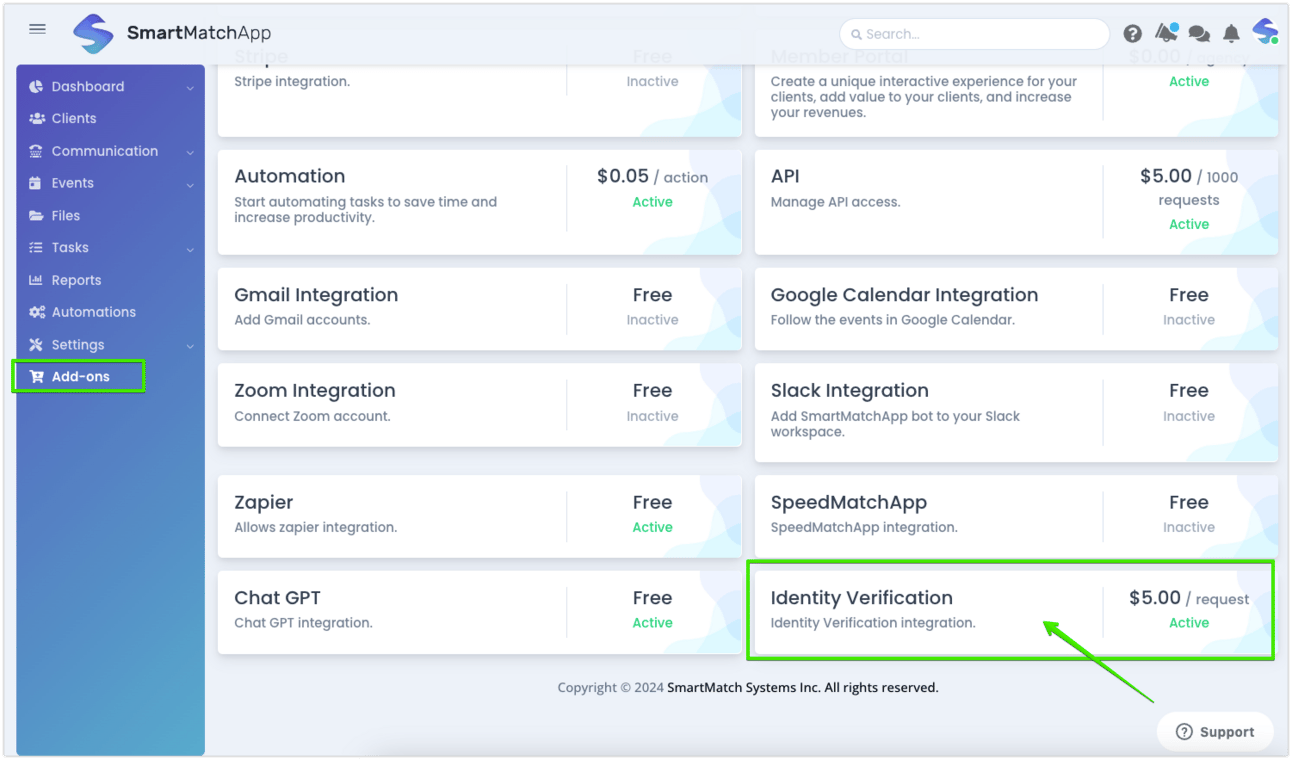
New ID Verification Add-On in SmartMatchApp for enhanced security
ID verification works by checking personal details like name, address, date of birth, or even government-issued IDs, and compares them against trusted databases. Whether you’re verifying identities for a matchmaking session or client onboarding, this feature adds a layer of security that helps prevent fraud and unauthorized access.
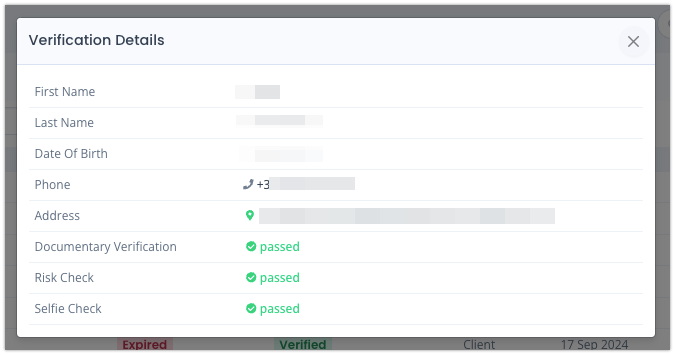
check personal details like name, address, date of birth, and government-issued IDs
Key Benefits:
Increased Security: Ensure only verified individuals can access sensitive areas of your platform.
Simple Process: The verification details are displayed in a clear, accessible modal box, allowing you to track and manage client verification with ease.
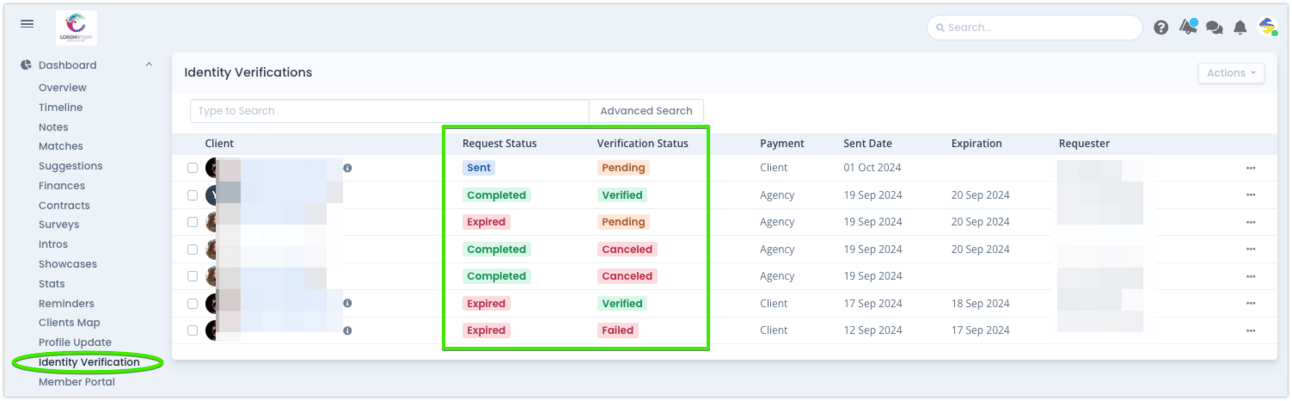
Easy to track modal box with ID verification statuses
Efficient Monitoring: You can quickly check a client’s verification status both on their profile page and the Identity Verification list page.
To enable ID Verification, head to the Add-Ons page in SmartMatchApp and activate it. Once enabled, you’ll see a new option, "Request Identity Verification," under the Actions tab on any client’s profile. From there, you can manage the process with just a few clicks.
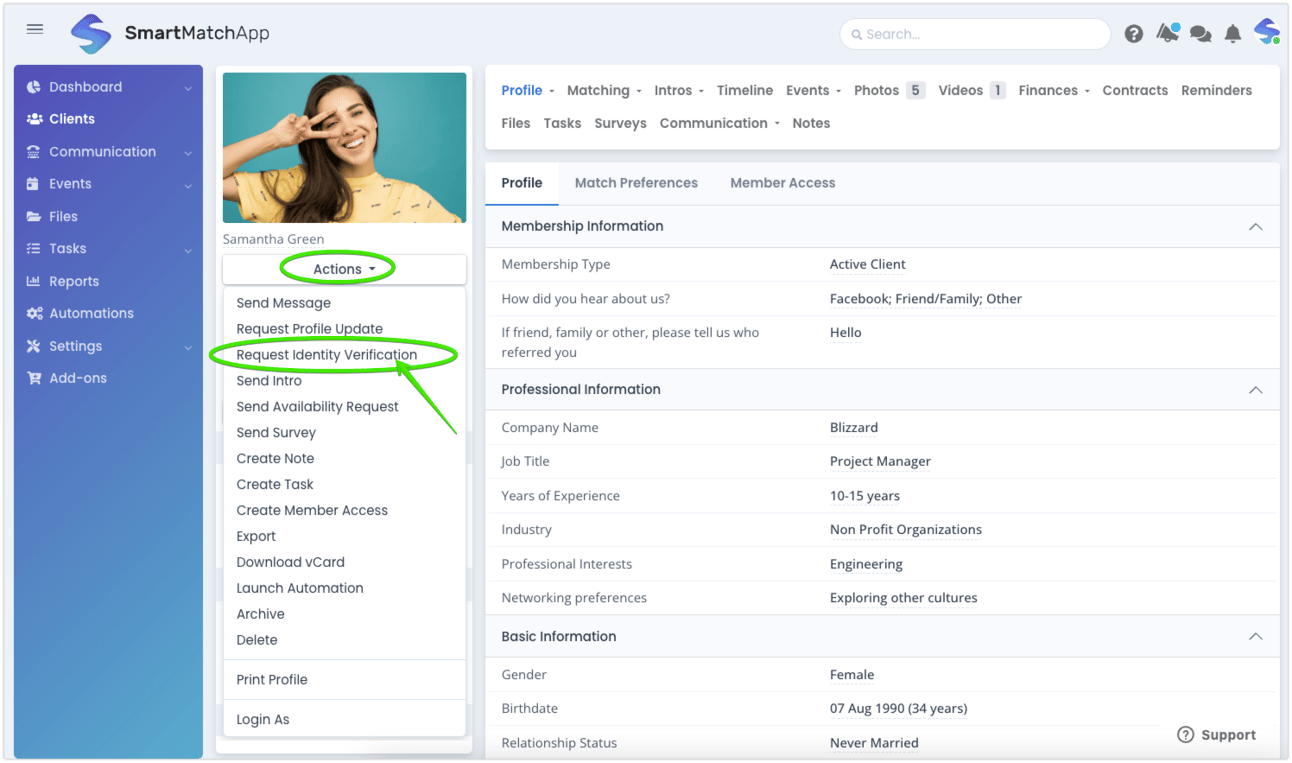
Send ID verification request in just few clicks
Adding this feature to your toolkit ensures a smoother and more secure matchmaking experience for both you and your clients. By verifying identities, you’ll build trust, reduce risks, and create a safer environment—key elements that can lead to better relationships and client satisfaction. Plus, it’s quick and easy to set up!
Don’t wait—activate ID Verification today and give your clients the confidence they need.
If you need assistance or have any questions about how to use this feature, feel free to reach out. We’re here to help every step of the way!
Start matching better - claim your free trial
Read our latest article article
I wrote an article ‘How to Write an Introduction Email between two Parties’ - feel free to check it out for some cool intro tips!
Check our YouTube channel for many success stories and client interviews.
Book your interview with us, and let’s explore amazing content opportunities together